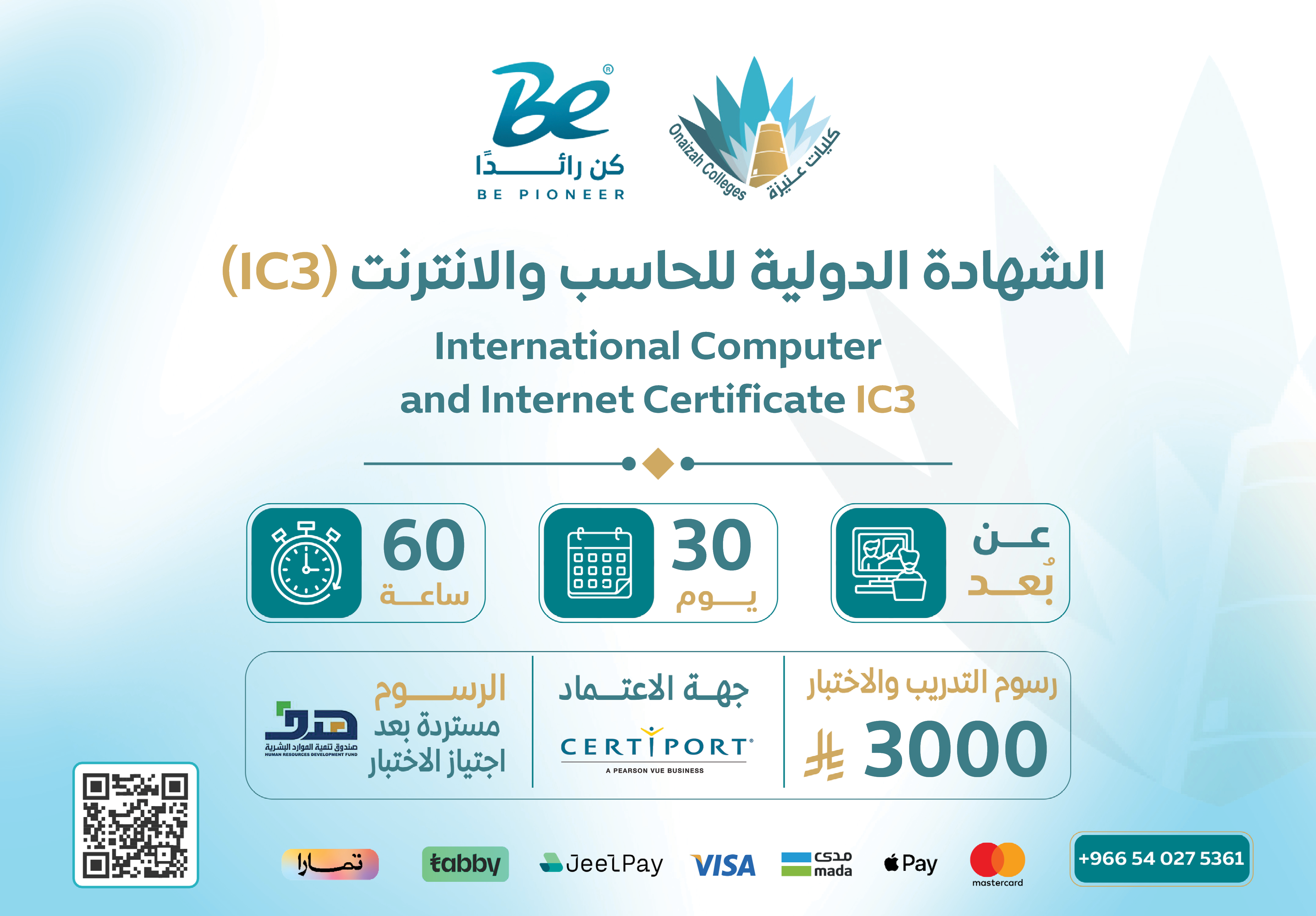
General Description
If you aim to acquire essential digital skills that have become a necessity across various fields of work and education, the International Computer and Internet Certificate (IC3) is the ideal starting point to build a strong foundation in the world of technology. It provides a comprehensive understanding of computer usage, internet skills, and modern digital applications, enabling you to perform tasks efficiently and confidently in today’s evolving digital environment.
Through the Open Education Platform of Onaizah Colleges, you will receive a comprehensive training course within the “Be an Expert” Professional Certifications Platform. This program equips you with core digital skills and fully prepares you to confidently and successfully pass the accredited IC3 certification exam, enhancing your academic and career opportunities while keeping you aligned with digital transformation and modern job market requirements.
The Goals
-
-
Provide participants with essential digital skills that have become a necessity in various work and education fields.
-
Enable participants to gain a comprehensive understanding of computer, internet, and modern digital application skills.
-
Help participants perform daily tasks efficiently and confidently in the evolving digital environment.
-
Prepare participants to acquire a solid technical foundation enabling them to keep pace with digital transformation requirements.
-
Prepare participants to successfully pass the Internet and Computing Core Certification (IC3) exam.
-
Enhance participants' academic and professional opportunities by proving their digital competence.
-
Target Auidence
-
Students at all educational levels (schools, universities, colleges).
-
General and higher education graduates seeking to add certified digital skills to their CVs.
-
Employees and workers across various sectors needing to develop their basic digital skills.
-
Job seekers looking to enhance their competitive opportunities in the job market.
-
Seniors and computer beginners wishing to learn fundamentals from scratch.
-
Anyone seeking to build a solid foundation in digital skills regardless of their specialization or field of work.
The Features
-
Internationally recognized certification from Certiport, recognized by educational institutions and employers worldwide.
-
Ideal starting point for beginners to build a strong foundation in the world of technology.
-
Comprehensive coverage of computer, internet, and digital application skills in one integrated program.
-
Suitable for all levels from complete beginners to those wanting to certify their existing skills.
-
Complete exam preparation through the Kun Ra'edan platform for training programs, part of Unaizah Colleges.
-
Enhanced academic and professional opportunities by proving digital competence with an internationally recognized certification.
-
Flexible learning suitable for all age and professional groups.
Topics
IC3 Certification covers three main domains (three separate exams):
Domain 1: Computing Fundamentals
-
Computer Hardware: Identifying physical computer components (motherboard, processor, memory, storage, input/output devices).
-
Software and Operating Systems: Understanding the difference between OS and applications, file and folder management, installing and removing software, Windows and macOS basics.
-
File and Folder Management: Creating, copying, moving, deleting files, organizing files, understanding common file extensions (PDF, DOCX, XLSX, JPG, MP3).
-
Basic Networking and Internet Connection: Understanding network basics, internet connection types (Wi-Fi, Ethernet), basic network settings.
-
Security and Privacy: Secure passwords, data backup, antivirus, security updates.
Domain 2: Key Applications
-
Word Processing (Microsoft Word): Creating and formatting documents, fonts, paragraphs, tables, images, headers and footers, spell check, printing.
-
Spreadsheets (Microsoft Excel): Creating spreadsheets, data entry, basic formulas (SUM, AVERAGE, COUNT), conditional formatting, creating charts.
-
Presentations (Microsoft PowerPoint): Creating presentations, adding slides, text, images, animations, transitions, slideshow presentation.
-
Collaboration and Teamwork: Document sharing, co-authoring, comments, tracking changes.
Domain 3: Living Online
-
Effective Web Browsing: Using web browsers (Chrome, Edge, Firefox), search engines, bookmarks, browsing history, managing extensions.
-
Email: Creating an email account, sending and receiving messages, attachments, organizing email, handling spam.
-
Online Communication and Collaboration: Instant messaging, video conferencing (Zoom, Teams, Meet), social media (safe and responsible use).
-
Digital Security and Digital Citizenship: Online privacy, phishing, digital fraud, responsible technology use, copyright and citing sources.
-
Cloud Computing and Cloud Storage: Using Google Drive, OneDrive, Dropbox, file sharing, accessing from any device.
Learning outcomes
-
Successfully pass the Internet and Computing Core Certification (IC3) exams.
-
Comprehensive understanding of computer components, operating systems, and file management.
-
Ability to efficiently use major Microsoft Office applications (Word, Excel, PowerPoint).
-
Ability to effectively browse the internet and use search engines professionally.
-
Ability to use email and communicate online safely and effectively.
-
Understanding of digital security basics and responsible digital citizenship.
-
Ability to use cloud computing for storage, sharing, and collaboration.
-
Enhanced confidence in using technology for work, study, and daily life.
Requirements And Conditions
FAQs
The Blog
IC3 Certification | Your Guide to the International Computer and Internet Certification
Digital skills have become an essential part of education, employment, and everyday life. Using computers, managing files, working with productivity applications, searching for information online, communicating through digital platforms, and protecting personal information are no longer skills limited to technology specialists.
As organizations continue to rely on digital technologies, individuals need a strong foundation in computer and internet skills. This is where the IC3 Certification comes in.
The International Computer and Internet Certification (IC3), also known as Internet and Computing Core Certification, is a digital literacy certification designed to measure essential computer, internet, and technology skills. The certification is part of the Certiport certification ecosystem and provides a structured way to validate digital literacy.
Through Be Pioneer, learners can explore the IC3 certification and understand its structure, areas of knowledge, exam format, and role in developing a strong foundation for further digital and professional certifications.
What Is the IC3 Certification?
IC3 stands for Internet and Computing Core Certification. It is a certification focused on fundamental computer and digital literacy skills.
The certification covers essential areas related to computing, productivity applications, internet use, communication, information management, digital citizenship, and online safety.
Traditional IC3 certification frameworks are built around three major areas:
-
Computing Fundamentals
-
Key Applications
-
Living Online
These areas cover the fundamental knowledge needed to use computers, productivity software, and online technologies effectively.
IC3 has also evolved over time to reflect changes in technology. Newer standards, such as IC3 Global Standard 6 (GS6), include modern digital skills such as information management, content creation, communication, collaboration, digital citizenship, and safety and security.
This development shows how digital literacy has expanded beyond simply knowing how to operate a computer.
Why Has IC3 Become Important?
Technology is now integrated into almost every professional environment.
Employees may need to create documents, manage spreadsheets, communicate through email, attend virtual meetings, search for information, use cloud platforms, and share digital files.
Although these activities may appear simple, effective technology use requires a combination of practical knowledge and digital awareness.
For example, someone who knows how to open a document may still need to learn how to organize files properly, protect sensitive information, collaborate with colleagues, and evaluate the reliability of information found online.
IC3 provides a structured framework for assessing these types of digital skills.
Instead of relying only on self-assessment, individuals can use a recognized certification framework to demonstrate their knowledge of fundamental computer and internet concepts.
What Does the IC3 Certification Cover?
The exact content depends on the IC3 version being used.
Traditional IC3 standards focus on three major areas: Computing Fundamentals, Key Applications, and Living Online.
Newer versions such as IC3 GS6 provide a broader approach to digital literacy. The GS6 framework includes seven main areas:
-
Technology Basics.
-
Digital Citizenship.
-
Information Management.
-
Content Creation.
-
Communication.
-
Collaboration.
-
Safety and Security.
These areas reflect the way technology is currently used in education, business, and everyday life.
Computing Fundamentals in IC3
Computing Fundamentals focuses on the basic concepts users need to understand when working with computers and technology.
This area can include computer hardware, software, operating systems, storage, memory, files, and basic system concepts.
Understanding these fundamentals helps users recognize how different computer components work together.
For example, knowing the difference between storage and memory can make it easier to understand computer performance and manage digital files effectively.
The Computing Fundamentals area is not designed to turn learners into computer engineers. Instead, it establishes a practical understanding of technology that users can apply in everyday situations.
Understanding Computer Hardware and Software
Computers depend on both hardware and software.
Hardware refers to the physical components of a computer, while software consists of programs and applications that allow users to perform different tasks.
IC3-related knowledge can include understanding different types of computer devices, basic hardware components, operating systems, applications, and how these elements work together.
This knowledge can help users troubleshoot basic problems and make more informed decisions when using or selecting technology.
It also provides a foundation for individuals who later want to study more specialized areas such as information technology, cybersecurity, cloud computing, or data analytics.
File and Operating System Management
Managing files is one of the most common digital tasks in education and employment.
Users regularly create, save, rename, move, copy, organize, and delete files. As the number of digital documents increases, proper file management becomes increasingly important.
IC3-related skills can help users understand folders, file locations, storage options, and basic operating system functions.
These skills are particularly useful in professional environments where employees may handle large numbers of documents and need to retrieve information quickly.
Good file management can also reduce the risk of losing important information and improve productivity.
Key Applications in IC3
The Key Applications area focuses on the use of productivity software.
This traditionally includes applications used for word processing, spreadsheets, and presentations.
These applications are widely used across businesses, educational institutions, government organizations, and many other workplaces.
The ability to create a professional document, organize numerical information, or prepare a presentation is an important part of modern digital literacy.
IC3 provides a framework for understanding the essential functions of these types of applications.
IC3 and Word Processing
Word processing applications are among the most commonly used productivity tools.
Employees may use them to create reports, letters, resumes, proposals, forms, and other documents.
Digital literacy therefore includes the ability to create, edit, format, save, and manage documents efficiently.
Learning these skills also provides a foundation for more advanced productivity tools and office applications.
For example, someone who understands basic document formatting can later develop more advanced skills in Microsoft Word and other professional document management tools.
IC3 and Spreadsheets
Spreadsheets are widely used to organize and analyze information.
They can be used for budgets, sales records, inventory, schedules, financial information, and performance reports.
IC3-related spreadsheet skills can include entering and organizing data, using basic formulas and functions, formatting information, sorting and filtering data, and creating simple charts.
These skills can provide an important foundation for later learning more advanced Excel techniques, data analysis, and business intelligence tools.
For someone interested in becoming a data analyst, developing strong spreadsheet fundamentals can also complement later training in tools such as Power BI and SQL.
IC3 and Presentation Applications
Presentations are another important part of modern digital communication.
Professionals often need to present business results, project information, research findings, or educational content.
Presentation software allows users to organize information into slides and communicate ideas visually.
IC3-related skills can include creating presentations, formatting slides, managing content, and using presentation tools effectively.
These skills are valuable because professional communication increasingly depends on the ability to present information clearly.
Living Online in IC3
The Living Online component focuses on using internet technologies effectively.
It includes areas related to internet concepts, web browsing, online communication, email, information searching, and responsible use of digital environments.
The internet has become an essential part of education and employment. People use it to communicate, conduct research, access services, collaborate with colleagues, and manage professional activities.
Therefore, understanding how online technologies work is an important part of digital literacy.
Searching for Information Online
Searching the internet is easy, but finding reliable information requires additional skills.
Users need to know how to formulate effective search queries, compare results, identify trustworthy sources, and distinguish reliable information from misleading content.
Digital literacy therefore involves more than simply entering keywords into a search engine.
The ability to evaluate online information has become especially important as people encounter large amounts of content across websites, social media platforms, blogs, videos, and other digital channels.
These skills can help users make better decisions about the information they consume and share.
Email and Digital Communication
Email remains one of the most important communication tools in professional environments.
Employees may use email to send documents, communicate with clients, coordinate tasks, and exchange information with colleagues.
Digital communication skills can include creating and responding to messages, managing attachments, organizing emails, and communicating professionally.
Modern digital literacy can also extend to instant messaging, virtual meetings, video conferencing, collaborative platforms, and other online communication technologies.
The development of IC3 standards reflects the increasing importance of communication and collaboration in digital environments.
Digital Citizenship and IC3
Digital literacy is not limited to technical skills. It also involves using technology responsibly.
Digital citizenship refers to the responsible and informed use of digital technologies.
It can involve understanding privacy, online identity, appropriate digital communication, responsible content sharing, and ethical behavior online.
IC3 GS6 includes Digital Citizenship as one of its key areas, demonstrating the growing importance of responsible technology use.
Understanding digital citizenship can help users make better decisions when communicating, sharing information, and interacting with online communities.
Digital Safety and Security
As people increasingly rely on digital platforms, protecting accounts and personal information has become essential.
Basic digital security practices include using strong passwords, recognizing suspicious links, avoiding unsafe downloads, protecting sensitive information, and being aware of common online threats.
The IC3 GS6 framework includes Safety and Security as a major area of digital literacy.
This demonstrates that modern computer literacy involves not only knowing how to use technology but also understanding how to use it safely.
Information Management in the Digital Age
People now deal with enormous amounts of digital information.
Documents, emails, spreadsheets, images, websites, messages, and other digital content can quickly become difficult to manage without an organized approach.
Information Management is therefore an important component of modern digital literacy.
IC3 GS6 includes information management among its key areas, reflecting the need to locate, organize, evaluate, and work with digital information effectively.
Good information management can improve productivity and make it easier to find important information when it is needed.
Digital Content Creation
Modern technology allows users to become content creators rather than simply consumers of information.
A person may create a document, presentation, spreadsheet, image, video, or other digital material and share it with others.
The Content Creation area in IC3 GS6 reflects the importance of being able to use digital tools to create and manage content.
Content creation also involves understanding how information should be presented and shared appropriately.
Communication and Collaboration
Digital workplaces increasingly depend on collaboration tools.
Employees can work together on shared documents, communicate through messaging platforms, participate in virtual meetings, and collaborate on projects even when they are not physically located in the same office.
IC3 GS6 includes both Communication and Collaboration among its digital literacy areas.
Understanding these skills can help individuals adapt to modern working environments and communicate more effectively using digital technologies.
What Is the Difference Between IC3 and ICDL?
IC3 and ICDL are sometimes confused because both certifications are associated with computer and digital literacy.
However, they are different certification programs offered through different organizations and frameworks.
IC3 is associated with Certiport and focuses on the IC3 Digital Literacy standards.
ICDL is a separate digital skills certification framework associated with the ICDL Foundation.
When choosing between different digital literacy certifications, learners should review the certification provider, exam structure, current version, and requirements of the organization or employer where they intend to use the certification.
Is IC3 an Internationally Recognized Certification?
IC3 is positioned by Certiport as a global standard for digital literacy and computer skills.
The certification is part of the Certiport ecosystem, which provides certification testing and credentialing services.
However, recognition and usefulness can vary depending on the employer, educational institution, or organization.
Therefore, anyone planning to use IC3 for a specific academic or professional purpose should check whether the relevant organization accepts the certification.
How to Prepare for the IC3 Exam
Preparing for IC3 is more effective when theoretical study is combined with practical experience.
Start by reviewing computer fundamentals, including hardware, software, operating systems, storage, and file management.
Then practice using productivity applications such as word processors, spreadsheets, and presentation software.
The next step is to strengthen internet and digital communication skills.
You should also study digital safety, privacy, responsible online behavior, information management, and other topics included in the specific IC3 version you plan to take.
It is important to verify the exact version of IC3 before beginning your preparation because the content can differ between standards.
Practical Training During IC3 Preparation
One of the best ways to develop digital skills is through practical exercises.
Instead of only reading about file management, organize actual files into folders.
Instead of memorizing spreadsheet functions, create a simple budget or sales worksheet.
Instead of studying presentation concepts theoretically, create a short presentation and practice formatting its slides.
You can also practice sending professional emails, attaching files, searching for information, comparing online sources, and identifying suspicious digital activity.
Practical exercises turn theoretical knowledge into skills that can be applied in real situations.
IC3 and the Modern Job Market
Digital skills are increasingly relevant across different occupations.
Administrative employees may work with documents and email. Sales professionals may use spreadsheets and digital CRM systems. Customer service teams may communicate through online platforms. Employees in many industries may need to use cloud applications and digital collaboration tools.
This means that computer and internet skills are no longer limited to IT departments.
An IC3 certification can help demonstrate a foundation of digital literacy, particularly when combined with additional professional skills.
However, learners should continue developing specialized knowledge related to their chosen career path.
IC3 as a Starting Point for Other Certifications
The skills developed through IC3 can provide a foundation for learning more advanced technologies.
Someone who understands basic computer concepts and productivity applications may find it easier to progress to specialized training in:
-
Microsoft Office.
-
Excel.
-
Power BI.
-
Data analytics.
-
Cybersecurity.
-
Cloud computing.
-
Project management.
-
Information technology.
For example, strong spreadsheet fundamentals can support future learning in data analysis, while understanding computer and internet concepts can make it easier to explore cybersecurity or cloud technologies.
IC3 can therefore be viewed as part of a broader digital learning journey rather than an isolated qualification.
IC3 Certification Versions
IC3 has evolved through several standards as technology has changed.
Some well-known versions include Global Standard 3, Global Standard 5, and the more recent Global Standard 6 (GS6).
GS6 expands the digital literacy framework to include modern topics such as digital citizenship, information management, content creation, communication, collaboration, and safety and security.
This evolution demonstrates why learners should always check the version of IC3 associated with a specific training course or exam.
Why Should You Check the IC3 Version Before Enrolling?
People searching for IC3 courses may find different programs associated with different versions of the certification.
Before enrolling, it is important to verify:
-
The exact IC3 version.
-
The exam structure.
-
The number of required exams.
-
The certification provider.
-
The content covered by the course.
-
Whether the course prepares you for the current exam.
For example, Certiport's IC3 information explains the relationship between the certification and its required examinations within the relevant standard.
Checking these details beforehand can help ensure that your training matches the certification you intend to earn.
Start Your IC3 Journey with Be Pioneer
The International Computer and Internet Certification (IC3) can provide a strong foundation for developing essential digital skills.
Its coverage of computer fundamentals, productivity applications, internet use, digital communication, information management, content creation, collaboration, and online safety reflects the broad range of skills needed in today's digital environment.
Through Be Pioneer, learners can explore professional and digital learning opportunities that support continuous development and help them prepare for the changing demands of the job market.
Building strong digital fundamentals can also make it easier to progress toward more specialized certifications and technologies.
Whether you are strengthening your current digital skills or preparing for a more advanced professional path, IC3 can be a useful step toward becoming a more confident and capable technology user.